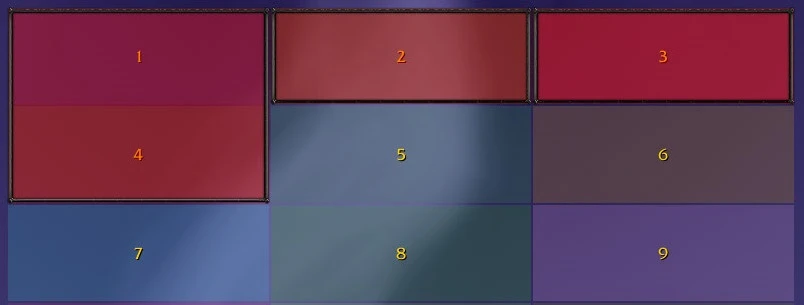
The ResponsiveScrollFrame class contained inside the GridPanels package can be used without any of the other classes, but it might be a good idea to use it inside a Region to be positioned on the grid instead of the default frame created by the region.
A responsive scroll frame will dynamically reposition/re-anchor child elements contained inside it when it changes in width. When changed in height, the scroll bar will dynamically show and hide when the user should scroll to see more. If all the elements fit inside the frames height then the scroll bar does not need to show.
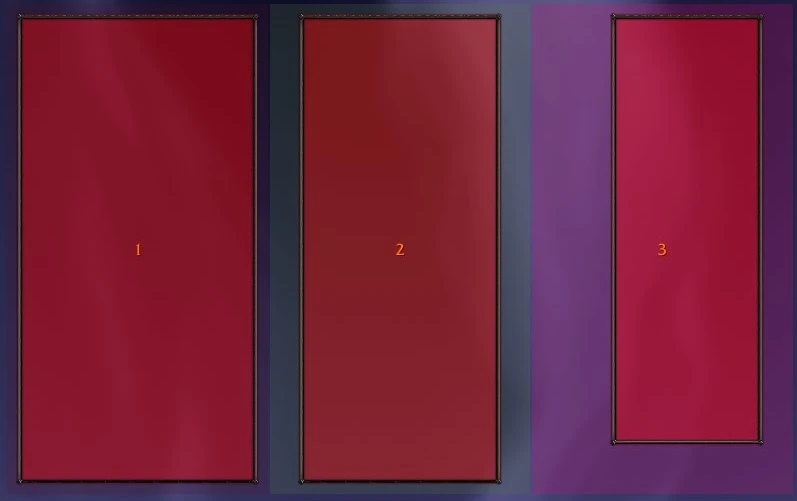
Elements added as children to the responsive scroll frame will be positioned from the top-left corner of the scroll frame and will move to the right until there is not enough room to fit. Once filled, new elements will be appended to a new row below the filled up row to repeat the process. You should never need to position these child elements manually. Elements are basic Blizzard widgets, such as frames and buttons. They can be fully customised before being added to the responsive scroll frame. Below is a preview of what this might look like:

The responsive scroll frame inherits all of the functions contained in Blizzard's base Frame widget. The following code sample shows this in action.
-- get the MayronObjects framework using:
local obj = MayronObjects:GetFramework(); ---@type MayronObjects

-- import the ResponsiveScrollFrame class:
local C_ResponsiveScrollFrame = obj:Import("GridPanels.Main.ResponsiveScrollFrame");

-- create an instance of it:
---@type ResponsiveScrollFrame
local frame = C_ResponsiveScrollFrame(nil, "ResponsiveScrollFrame_Test1");

-- you can call Blizzard widget functions like you usually would:
frame:SetPoint("CENTER");
frame:SetSize(400, 500);

-- create some child elements (such as other frames, buttons, etc...)
-- then add them to the responsive scroll frame:
frame:AddChildren(element1, element2, element3, element4);

-- you should then make it draggable to see its potential:
frame:MakeResizable();
5.1 ResponsiveScrollFrame Constructor
The constructor consists of 4 optional arguments:
- @param containerFrame (Frame): The frame that wraps around the scroll frame. The actual scroll frame is created by the constructor but can be accessed later using the
GetScrollFrame function. If nil, Pkg-GridPanels will create a default one (that uses the new BackdropTemplateMixin to support WoW patch 9.0.1+).
- @param globalName: If
containerFrame is nil, the default frame created by Pkg-GridPanels will be assigned the value of globalName as its global name.
- @param parent: If
containerFrame is nil, the default frame created by Pkg-GridPanels will be assigned the value of parent as its parent frame. If parent and frame are both nil, the default frame will be assigned UIParent as its default parent frame.
- @param child (Frame): A custom child frame to be set as the scroll frame's "scroll child" using Blizzard's
SetScrollChild function. If nil, a basic frame is created using CreateFrame("Frame").
5.2 ResponsiveScrollFrame Methods
The ResponsiveScrollFrame class is a sub-class of the FrameWrapper class provided by MayronObjects. This allows instance objects to use both the custom ResponsiveScrollFrame class functions, as well as Frame widget functions, which are called on the underlining container frame (the frame that contains the nested scroll frame).
Below is the full list of methods that are accessible from any instance of the ResponsiveScrollFrame class:
SetElementSpacing(spacing)
- @param spacing (number): The spacing (or inset) around each child element.
SetContainerPadding(padding)
- @param spacing (number): The padding around the edges of the container frame.
AddChildren(...)
- @vararg: A variable argument list of elements to append to the responsive scroll frame. These child elements can be basic Blizzard widgets, such as a frame or button.
Do not add a scroll frame as a child to the responsive scroll frame. Nested scroll frames seem to cause strange behaviour even without using Pkg-GridPanels.
GetChildren()
Returns all child elements.
GetScrollFrame()
Returns the scroll frame created inside the ResponsiveScrollFrame constructor.
GetScrollBar()
A helper function to return the scroll bar in a more convenient way.
GetScrollBarButtons()
A helper function to return the up and down buttons (in that order) of the scroll bar in case you want to customise them.
GetScrollBarThumbTexture()
A helper function to return the draggable "thumb" texture of the scroll bar in case you want to customise it.
GetScrollBarThumbTexture()
A helper function to return the draggable "thumb" texture of the scroll bar in case you want to customise it.
MakeResizable(dragger)
- @param dragger (an optional Frame or other Widget): If supplied, this will be used by the user to drag and resize the responsive scroll frame. If missing, the entire frame will be draggable.
When called, the responsive scroll frame will become resizable by dragging it. If a custom dragger widget is provided then you will only be able to resize it by dragging the dragger frame. Ideally, you would anchor this dragger frame onto the responsive scroll frame, such as placing it in the bottom right corner.
If you add the responsive scroll frame as part of a region on a grid frame then do not use this. Instead, use Grid:MakeResizable() to make the entire grid frame resizable.